Tornado Interceptor Lab How to Redeem Codes
Be ready the moment Arvexa studio ships a real promo string.
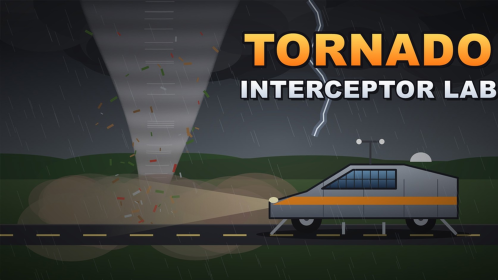
This guide explains how to redeem codes in Tornado Interceptor Lab on Roblox once a verified promo exists. As of November 2026 the beta still has no confirmed public codes, but redemption habits are the same across many Roblox experiences. Learn the pattern now so you are not fumbling through menus while a limited reward expires.
Return to the codes hub for the live “working / expired” list. This page is the procedure manual.
Before you redeem anything
- Confirm the string appears on this wiki’s codes hub or another source you trust from Arvexa studio’s official channels.
- Make sure you are logged into the correct Roblox account—the one that owns your interceptor progress.
- Join Tornado Interceptor Lab and wait until the world fully loads (lab UI and HUD visible).
- Never type the code into a random website that asks for your password or email code. That is phishing, not redemption.
If someone claims you must run an executor to “unlock the codes GUI,” stop and read safe script usage. Real promos do not require malware.
Typical Roblox in-experience redemption pattern
Exact button labels can change during beta, but most vehicle sims follow a familiar flow:
- Open the main menu, shop, inventory, or a dedicated Codes / Twitter / Rewards button on the HUD.
- Find a text field labeled Codes, Redeem, or Promo.
- Paste the string carefully—Roblox codes are often case-sensitive.
- Press Redeem / Submit and wait for a success toast or reward popup.
- Check money, parts, or cosmetics in the lab/shop to confirm the grant.
If Tornado Interceptor Lab later adds a codes panel beside the parts shop, it will likely sit near other meta UI rather than inside the 3D build tools. After any patch notes drop, glance at new buttons before assuming the old path still exists.
What to do when a code fails
- Already redeemed — Many promos are one-time per account. You will not get a second payout.
- Expired — Limited event strings die quietly. Update your personal list and check the codes hub.
- Typo / extra space — Paste again without leading spaces or markdown bold characters.
- Wrong experience — Codes for other tornado games will not work here.
- Server desync — Rejoin once; beta servers under load can drop a reward popup.
Still stuck? Finish a normal intercept for money via how to intercept instead of refreshing scam lists.
Rewards you should expect (when codes exist)
Because the core loop is intercept → money → parts/mods or custom builds, promo rewards usually accelerate that loop:
- Flat cash for the lab
- Discount tags on flaps or chassis kits
- Cosmetic paint (including blue tones popular on Cad 1 style prototypes)
- Occasional crate-style part bundles
Codes will not replace learning flaps and threshold or surviving rare EF6 pressure. Treat them as a bonus paycheck.
Group and social code etiquette
When a code drops during a group event, share the string once with clear expiry notes—do not bury it inside a fake download link. Point friends to this redeem guide and to getting started if they are brand new. If the reward is cosmetic-only, still remind them to spend real intercept cash on structural parts using the parts checklist.
Mobile vs desktop notes
On phones, the codes button may hide behind a hamburger or small gift icon. Rotate to landscape if the text field is clipped. On desktop, disable browser autofill overlays that cover the redeem field. Controllers sometimes need a cursor mode toggle before you can click the submit button—check your Roblox touch/gamepad settings if input feels stuck.
After a successful redeem
- Screenshot the success message for your own records.
- Immediately apply cash to the next structural upgrade, not impulse paint.
- Retest handling with a mid-tier storm before chasing EF5/EF6 highlights (survive EF6).
- Mention the working code on the community page only if it is still active and you include expiry context.
Staying ready while the list is empty
Until Arvexa studio publishes a real promo, practice the rest of the game. Build a stable interceptor (how to build an interceptor), climb the interceptor tiers ladder, and watch updates for the first official string. Being ready beats refreshing fake lists every five minutes.
Redeem calmly, verify rewards in-lab, and keep your account credentials off third-party forms. That is the entire skill.
Frequently Asked Questions
Quick answers about builds, intercepts, codes, and survival.
Is there a codes button in Tornado Interceptor Lab today?
The beta may add or move UI over time. As of November 2026 there are no verified public codes, so a dedicated button may not be live yet—recheck after patches.
Can I redeem codes on a website?
No. Only use in-experience or official Roblox flows. External “redeem” sites that ask for your password are scams.
Why did my code say invalid?
It may be expired, already used, mistyped, or meant for a different game. Re-copy carefully and confirm it is listed as active on the Codes Hub.
Should I spend code cash on paint first?
No. Prioritize flaps, chassis, and other structural parts so your threshold and intercept consistency improve first.