Tornado Interceptor Lab Parts Checklist
A session-ready shopping order for interceptor money after each storm run.
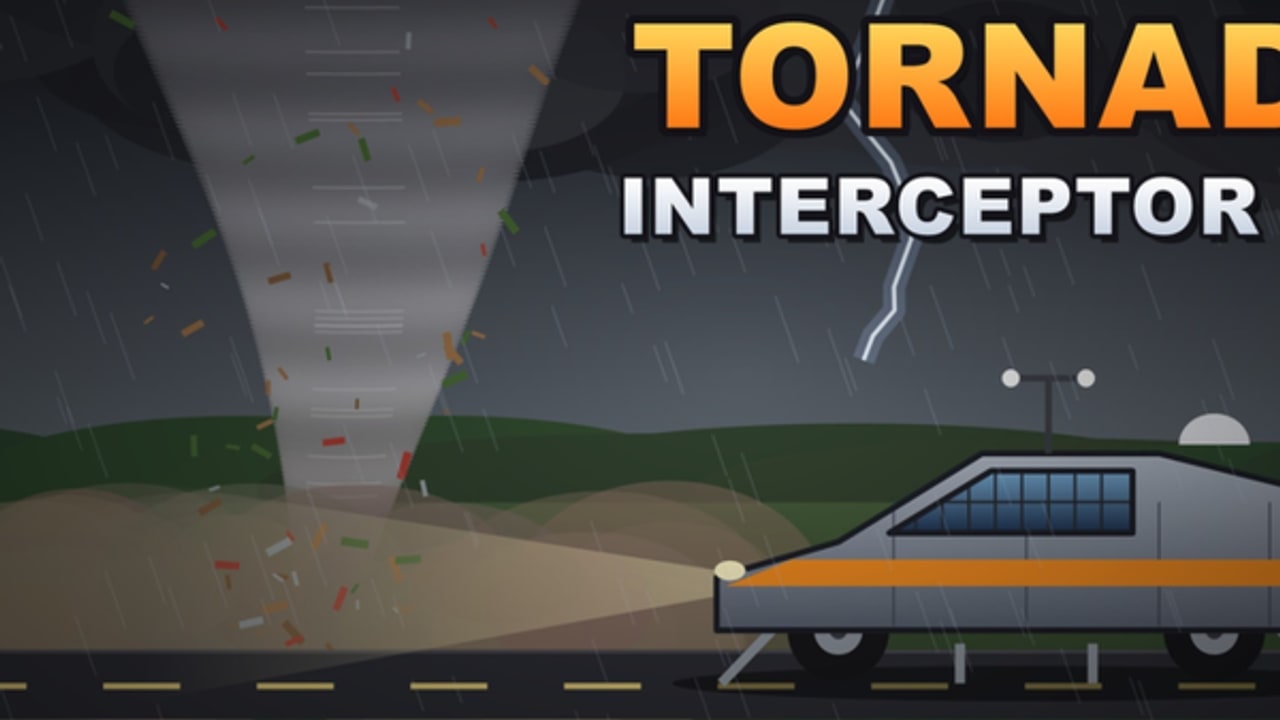
This parts checklist is the practical tool for Tornado Interceptor Lab players who want every Roblox payday to make the car stronger. Earn money by intercepting tornadoes, then walk the list top to bottom inside Arvexa studio’s lab. Pair it with parts ranking and the tools hub.
Print it mentally. Tick items only after a field test—not after a lab screenshot.
How to use the checklist
- Finish a money block with how to intercept.
- Open the lab.
- Start at Wave A and stop at the first incomplete item you can afford.
- Buy that item only.
- Retest on the same mid-tier storm.
- Return here next session.
Skipping waves to buy paint is how Cad 1 lookalikes fail without the Cad 1 function.
Wave A — Coverage (do not skip)
- Ride height lowered for ground-hugging stance
- Flap panels large enough to hide wheels at cruise
- Actuators keep flaps seated over wheels under light bumps
- Visual confirm: no uncovered tire sidewalls at intercept speed
- Threshold feel retested (community target roughly +30–50 when coverage is real) — see flaps and threshold
If any Wave A box is unchecked, do not buy cosmetics.
Wave B — Structure
- Chassis bracing for flap mounts
- Critical panels reinforced against glancing hits
- Spare repair fund reserved after purchases
- Prototype still steers predictably after a mid-tier hit
Build detail: how to build an interceptor.
Wave C — Reposition power
- Acceleration adequate to rejoin a storm path
- Braking control for abort lines
- Steering response OK in 10-player traffic
- Missed-angle recoveries succeed at least 2/3 attempts
Only enter Wave C when Waves A–B already pass.
Wave D — QoL / niche mods
- Any sensor/HUD helpers evaluated after a clean money hour
- Niche mods justified for your role (farmer vs highlight hunter)
- No QoL part raises ride height enough to uncover wheels
Wave E — Cosmetics (last)
- Paint / decals (blue Cad 1 vibes welcome after function)
- Vanity body bits that do not break coverage
- Screenshot pass for the community page
Role-based quick lists
New player (first rebuild): A complete → one B item → stop.
Money farmer: A upkeep → C as needed → light B.
EF6 hopeful: A perfect → B heavy → abort plan from survive EF6 → only then consider D.
Compare finished philosophies on interceptor tiers.
Session sheet example
- Storms run: ______
- Cash earned: ______
- Wave purchased: A / B / C / D / E
- Part name (live shop label): ______
- Retest result: pass / fail
- Next session target: ______
Keep patch date handy via patch notes. Prices move in beta.
Anti-checklist behaviors
- Waiting forever for codes instead of farming
- Buying an “unlock-all parts” executor myth (safe script usage)
- Marking Wave A complete without a moving coverage check
- Spending the repair fund on decals
- Changing five parts at once so you cannot tell what helped
After a failed retest
- Untick the wave you just bought.
- Revert if possible.
- Reconfirm Wave A coverage.
- Ask whether the failure was approach skill (how to intercept) vs part choice.
- Recheck updates if everything feels wrong overnight.
Related links
Follow the waves, test in wind, and let the checklist turn tornado money into an interceptor you trust.
Frequently Asked Questions
Quick answers about builds, intercepts, codes, and survival.
Can I skip Wave A if I already own a flashy prototype?
No. If wheels are uncovered, you are still on Wave A regardless of paint or fame.
How many parts should I buy per session?
Usually one meaningful upgrade, then a retest. Multi-buy sprees hide what actually helped.
Where do I see priority explanations?
Use the Parts Ranking page for why coverage beats cosmetics, then tick boxes here while shopping.
What if a patch renames parts?
Keep the wave goals (coverage → structure → power → QoL → cosmetics) and map new shop labels onto them after reading patch notes.